We appreciate that you may not always have your mobile device to hand when you need to log in to the GCC. For that reason, we have enabled email authentication as a backup option to mobile authentication.
When logging in, if you are unable to get your authentication code from your mobile authenticator app, you can select I don't have my device on the verification screen.
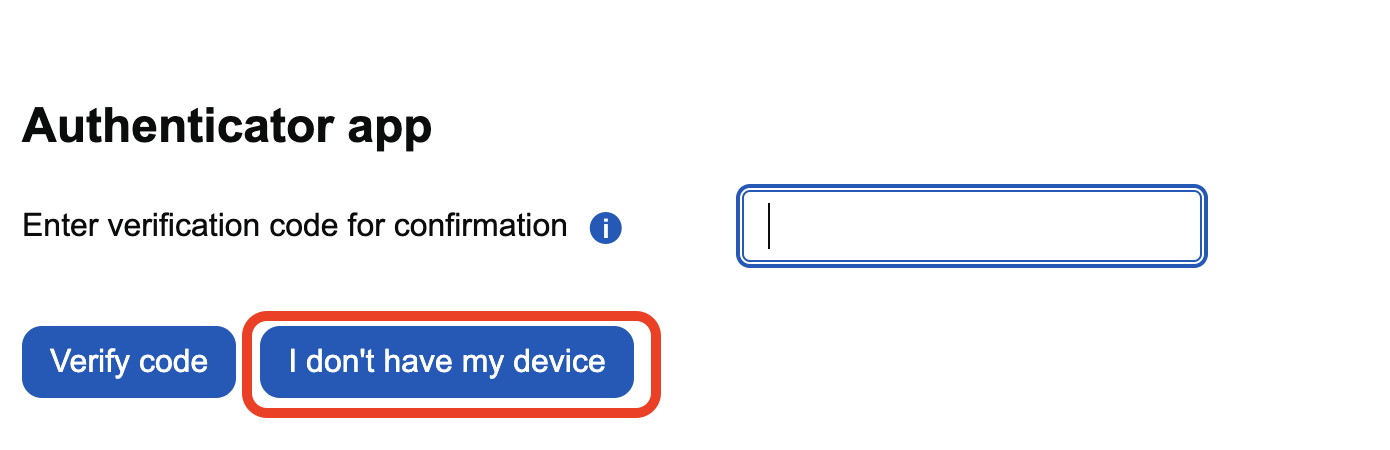
This will send an email containing a temporary verification code to your registered email address.
The email will come from noreply@govcommercialcollege.co.uk. If you do not see it in your inbox within a few minutes, please check your spam or junk folder.
This verification code is valid for 30 minutes. Simply enter this code on the GCC login screen to complete your sign-in.
Not receiving the email?
If you have checked your spam and junk folders and still have not received the email confirmation code within a few minutes, please contact dst@cabinetoffice.gov.uk. We will be able to assist with resetting your multi-factor authentication to allow you to log in.
Was this article helpful?
That’s Great!
Thank you for your feedback
Sorry! We couldn't be helpful
Thank you for your feedback
Feedback sent
We appreciate your effort and will try to fix the article